Component lifecycle
Obsolete or at-risk parts replaced, with the electrical and firmware consequences of each substitution properly assessed.
T · [CLIENT TO PROVIDE] E · [CLIENT TO PROVIDE]
Overview
Existing products carry something a new design does not: years of field behaviour, known failure modes and a customer base that understands them. Throwing that away to gain a feature or escape one obsolete component is rarely the best trade.
Modernisation starts with an assessment of what is actually driving the need — a component that is no longer available, a build cost that has drifted, a reliability trend, a missing capability or firmware nobody can safely change.
From there the change is scoped as narrowly as it can be while still solving the problem. Sometimes that is a component swap and a firmware update; sometimes it is a board redesign that preserves the interfaces and behaviour customers depend on.
Decision guide
Modernise or redesign is a judgement about where the constraint actually sits.
| Situation | Usual approach | Why |
|---|---|---|
| One or two obsolete components | Targeted substitution and revalidation | Preserves proven design and avoids recertification where possible |
| Rising build cost across the BOM | Partial redesign of the expensive sections | Focuses effort where the cost actually sits |
| Recurring field failures | Root cause analysis, then targeted change | Redesigning without root cause usually reproduces the fault |
| Firmware nobody dares modify | Restructure behind stable interfaces | Restores the ability to change without altering behaviour |
| Architecture cannot meet new requirements | New design reusing proven subsystems | The constraint is structural, so patching it costs more than replacing it |
Modernisation paths
Most projects combine two or three of these rather than all six.
Obsolete or at-risk parts replaced, with the electrical and firmware consequences of each substitution properly assessed.
Board revisions for cost, reliability, size or manufacturability while preserving the interfaces the product depends on.
Restructuring firmware that has become risky to change, so functionality can be added without breaking what works.
Bringing monitoring, data or remote update to a product that was designed before any of that was expected.
Targeted work on accuracy, response, power consumption or thermal behaviour where the current design limits the product.
Updated user interaction, displays or service interfaces where the electronics are sound but the experience has aged.
Modernisation process
The risk in modernisation is not the new part — it is the behaviour that quietly changes with it.
What exists, what is documented, what the field data shows and what is genuinely forcing the change.
Interfaces, mechanical fit, certifications, installed base compatibility and anything that must not change.
Approaches compared on cost, risk, timescale and how much of the proven design each one preserves.
The agreed change implemented with the blast radius kept as small as the problem allows.
The modernised product tested against the original behaviour, not only against the new specification.
Production changeover, spares strategy, documentation updates and field compatibility handled deliberately.
Risk
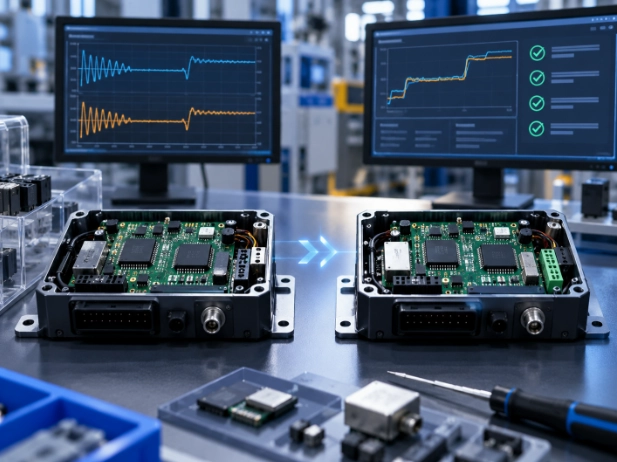
Substituting a component is straightforward. The risk in modernisation is the behaviour that changes quietly alongside it.
That is why the modernised product is validated against the original behaviour, not only against the new specification.
Applications
Typically products still selling well, whose electronics have aged faster than their market.
FAQ
How these projects are usually scoped and de-risked.
Yes. Reverse-documenting an existing design — schematic recovery, measurement and behaviour capture — is often the first phase, and it has value on its own regardless of what follows.
It can, depending on what changes. Identifying which changes affect certification is part of the constraint mapping stage, before any design work is committed.
Usually that is a hard requirement, and it shapes the design. Interfaces, protocols, mounting and behaviour are treated as fixed constraints unless you decide otherwise.
By keeping the change as narrow as the problem allows and by validating the modernised product against the original behaviour, not only against the new specification.
Tell us what is forcing the change — a part, a cost, a failure trend or a missing capability. We will scope the smallest fix that works.